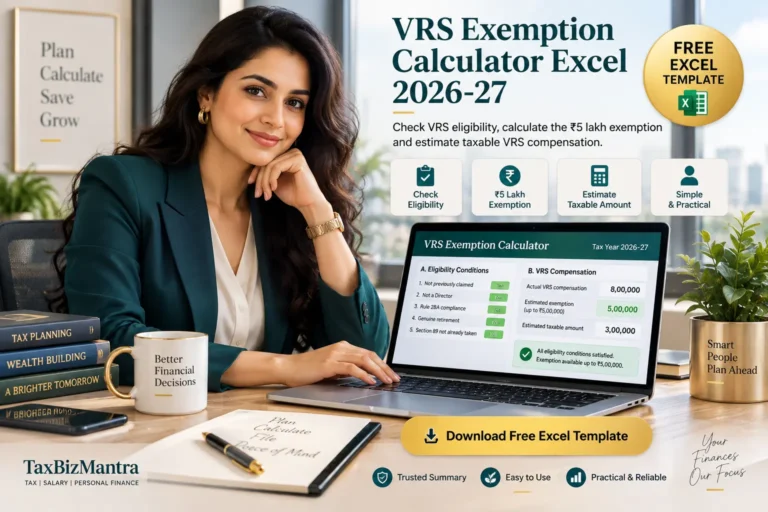

Calculate the exempt and taxable portion of commuted pension with a free Excel calculator designed for Tax Year 2026–27, including the 1/3rd and 1/2 exemption rules and the full-value gross-up calculation.
Download Free Excel Calculator →Calculate Commuted Pension Exemption in Excel
This free Commuted Pension Exemption Calculator Excel template helps you estimate how much of your pension commutation amount may be exempt from income tax and how much may remain taxable.
The calculator is designed for Tax Year 2026–27 and follows the workbook’s treatment of the relevant exemption under Schedule II of the Income Tax Act, 2025, formerly associated with Section 10(10A) of the Income-tax Act, 1961.
A key feature of this pension commutation calculator is that it does not simply apply 1/3rd or 1/2 to the lump sum actually received. Where only part of the pension is commuted, the calculator first reconstructs the full 100% commuted pension value and then applies the applicable fraction.
The gross-up calculation is one of the most important steps in determining the exemption. Enter your employee category, pension source, gratuity status, percentage commuted and actual lump sum received — the workbook performs the calculation automatically.
Quick Answer: How Is Commuted Pension Exemption Calculated?
Under the calculation framework used in this Excel template, government employees are treated as fully exempt, while non-government employees receiving pension from an employer are generally subject to a proportional exemption based on whether gratuity is received or applicable. The workbook applies 1/3rd of the full commuted pension value where gratuity is received and 1/2 where gratuity is not received.
If the pension is commuted from an LIC or other notified pension fund, the workbook treats the commuted amount as fully exempt regardless of the employee category.
Get the Free Commuted Pension Excel Calculator
Download the ready-to-use pension commutation calculator and calculate your estimated exempt and taxable commuted pension without building the formulas yourself.
Download Excel Template →Table of Contents
- What Is Commuted Pension?
- How Commuted Pension Exemption Works
- Full Pension Value and Gross-Up Calculation
- Commuted Pension Exemption for Government Employees
- Non-Government Employee Pension Exemption
- 1/3rd vs 1/2 Exemption and Gratuity
- LIC and Notified Pension Fund Commutation
- Taxable Commuted Pension
- How to Use the Excel Calculator
- Important Rules and Notes
- Frequently Asked Questions
- Download Commuted Pension Excel Template
What Is Commuted Pension?
Commuted pension is the lump-sum amount received when a person converts a portion of their future periodic pension into a one-time payment. Instead of receiving the entire pension as regular monthly payments, the pensioner receives a lump sum for the portion that has been commuted.
This is different from the ordinary monthly pension. The Commuted Pension Exemption Calculator in this workbook deals specifically with the lump-sum commuted portion. The regular uncommuted pension is outside the scope of this exemption calculation.
The calculator determines the exemption on the commuted portion of pension, not the regular monthly pension received after retirement.

How Is Commuted Pension Exemption Calculated?
The most important feature of this pension commutation tax calculator is the treatment of the full commuted value. If you commute less than 100% of your pension, the applicable exemption fraction is not simply applied to the amount actually received.
Instead, the workbook first reconstructs the value of the pension that would represent a 100% commutation. The applicable exemption fraction is then applied to that reconstructed amount.
Step 1 — Reconstruct Full Value
The calculator divides the actual lump sum received by the percentage of pension that was commuted.
Actual Lump Sum Received ÷ Percentage Commuted
Step 2 — Apply Applicable Fraction
For the non-government employer-pension case, the workbook applies the appropriate 1/3rd or 1/2 fraction based on gratuity status.
Full Commuted Value × Applicable Fraction
The Calculator Then Shows
Exempt Commuted Pension and Taxable Commuted Pension as separate results, making it easier to understand the tax treatment of the retirement lump sum.
Full Commuted Pension Value: The Gross-Up Calculation
The gross-up step is one of the most important parts of this commuted pension exemption calculation.
Suppose a pensioner commutes only 40% of the pension and receives ₹12 lakh as the actual lump sum. The workbook does not directly apply the applicable exemption fraction to ₹12 lakh. Instead, it reconstructs the full 100% commuted value:
₹12,00,000 ÷ 40% = ₹30,00,000
The relevant exemption fraction is then applied to the reconstructed ₹30 lakh figure, rather than directly to the ₹12 lakh actually received.
Do not automatically calculate the exemption as 1/3rd or 1/2 of the actual lump sum received when less than 100% of the pension has been commuted. The workbook specifically performs the gross-up calculation first.
Commuted Pension Exemption for Government Employees
The attached Excel workbook treats the commuted pension received by a government employee as fully exempt for the calculation covered by the template.
Full Exemption
The calculator returns the actual commuted pension amount as the exempt amount for the government employee category.
No Fixed Monetary Cap
The workbook specifically distinguishes this exemption from other retirement benefits that may operate subject to fixed rupee limits.
Pension Commutation
The calculation relates to the lump-sum amount arising from commutation of pension, not ordinary monthly pension payments.
Commuted Pension Exemption for Non-Government Employees
For a non-government employee receiving pension from an employer, the workbook determines the applicable exemption fraction based on whether the employee is also receiving gratuity.
| Employee / Pension Situation | Fraction Used in Workbook |
|---|---|
| Non-government employee receiving employer pension and gratuity | 1/3rd of full commuted pension value |
| Non-government employee receiving employer pension without gratuity | 1/2 of full commuted pension value |
| Government employee | Full amount treated as exempt |
| LIC or other notified pension fund | Full amount treated as exempt |
This distinction is important because the commuted pension tax exemption can change depending on the employee category and gratuity position selected in the workbook.
1/3rd or 1/2 Exemption: Why Gratuity Status Matters
One of the key inputs in this commuted pension exemption calculator Excel template is whether the non-government employee is also receiving gratuity.
If Receiving Gratuity
The workbook uses 1/3rd of the reconstructed full commuted pension value for the exemption calculation.
If Not Receiving Gratuity
The workbook uses 1/2 of the reconstructed full commuted pension value for the exemption calculation.
The workbook notes that gratuity status can depend on entitlement under the terms of service and is not necessarily determined only by whether gratuity was paid in the same transaction.
LIC and Other Notified Pension Fund Commutation
The calculator includes a separate input for the pension source. Where the pension is commuted from an LIC or other notified pension fund, the workbook treats the commuted amount as fully exempt regardless of the employee category.
Selecting the correct pension source ensures that the calculator applies the appropriate treatment instead of automatically using the non-government employer-pension fraction.
How the Taxable Commuted Pension Is Calculated
After determining the exempt portion, the workbook calculates the amount of the actual commuted pension that remains taxable.
Actual Lump Sum Received − Exempt Commuted Pension
The taxable figure is identified separately in the calculator and is intended to be considered as part of salary income for the purpose described in the workbook.
Exempt Amount vs Taxable Amount
The Excel template gives you both figures so that you can quickly understand the estimated tax treatment of the lump-sum pension commutation.
Calculate Your Commuted Pension Exemption
Use the free TaxBizMantra Excel pension calculator to perform the gross-up calculation and determine the estimated exempt and taxable commuted pension.
Get the Free Excel Template →
How to Use the Commuted Pension Exemption Calculator Excel
The workbook contains a dedicated How to Use sheet. Follow these steps to complete the calculation.
Select Employee Category and Pension Source
Select whether you are a government or non-government employee and identify the pension source. If the pension is from an LIC or other notified pension fund, select the appropriate option.
Enter Gratuity Status
For a non-government employee with an employer-paid pension, indicate whether you are also receiving gratuity. This determines whether the workbook applies the 1/3rd or 1/2 fraction.
Enter Percentage of Pension Commuted
Enter the percentage of pension that you converted into a lump sum, such as 40%, 50% or another applicable percentage.
Enter Actual Lump Sum Received
Enter the actual commuted pension amount received. The calculator uses this amount together with the percentage commuted to reconstruct the full 100% commuted value.
Review Exempt and Taxable Amount
Section C of the workbook automatically calculates the full commuted value, applicable fraction, exempt commuted pension and taxable commuted pension.
Important Rules for Commuted Pension Tax Calculation
What This Commuted Pension Excel Calculator Does
Full Value Gross-Up
Reconstructs the 100% commuted pension value from the percentage actually commuted and the lump sum received.
1/3rd or 1/2 Rule
Automatically applies the applicable fraction for the non-government employer pension scenario based on gratuity status.
Government Employee Treatment
Separately handles the government employee category included in the workbook.
LIC / Notified Fund Option
Provides a separate pension-source selection for LIC or other notified pension funds.
Exempt Amount
Shows the estimated amount of commuted pension treated as exempt by the workbook.
Taxable Amount
Automatically identifies the remaining taxable commuted pension amount.
Commuted Pension Exemption Calculator — FAQs
What is a commuted pension exemption calculator?
A commuted pension exemption calculator estimates the portion of a pensioner’s lump-sum commutation that is treated as exempt and the portion that remains taxable. This TaxBizMantra Excel template performs the calculation using the inputs specified in the workbook.
Is there a commuted pension exemption calculator in Excel?
Yes. TaxBizMantra provides this free Commuted Pension Exemption Calculator Excel template for Tax Year 2026–27. It automatically calculates the full commuted value, applicable exemption and taxable amount.
How is the full commuted pension value calculated?
The workbook calculates the full 100% commuted value by dividing the actual lump sum received by the percentage of pension commuted.
Is the exemption 1/3rd or 1/2 of commuted pension?
For the non-government employer-pension scenario, the workbook applies 1/3rd where gratuity is received and 1/2 where gratuity is not received. The fraction is applied to the reconstructed full commuted pension value.
Is commuted pension fully exempt for government employees?
In the calculation framework used by this workbook, government employees are treated as fully exempt for the commuted pension amount covered by the calculator.
Does this calculator apply to monthly pension?
No. The workbook specifically deals with the lump-sum commuted portion of pension. Ordinary uncommuted monthly pension is outside the scope of this exemption calculation.
Does the calculator have a fixed ₹5 lakh exemption limit?
No. Unlike certain other retirement-related exemptions, the workbook does not model a fixed ₹5 lakh monetary ceiling for commuted pension. It treats the exemption as a proportion of the full commuted pension value.
Can this Excel template calculate taxable commuted pension?
Yes. After calculating the exempt portion, the workbook separately calculates the taxable commuted pension as the actual lump sum received less the exempt amount.
Who can use this pension commutation calculator?
The workbook is intended for anyone who has commuted, or is considering commuting, part of their pension into a lump sum and wants an estimate of the applicable exemption and taxable portion.
Is this commuted pension calculator suitable for income tax filing?
The workbook is intended as an estimation tool. It should not be treated as a substitute for professional tax advice or verification of the provisions applicable to an individual taxpayer.

Download Commuted Pension Exemption Calculator Excel
Get the free TaxBizMantra Excel template for estimating commuted pension exemption and taxable pension for Tax Year 2026–27.

Sources & References
The calculator and explanatory content should be read together with the applicable tax provisions, official tax guidance and the assumptions stated within the Excel workbook.
View Income Tax Act, 2025 — Income Tax Department →
View CBDT ITR Validation Rules — AY 2026–27 →
The workbook should be read together with the applicable provisions and professional advice where the tax treatment of a particular pension arrangement is uncertain.
Disclaimer: This Excel calculator is provided for estimation and educational purposes only. It is not a substitute for professional tax, legal, payroll or financial advice. Tax provisions and procedural requirements may change, and the actual tax treatment of commuted pension depends on the facts and circumstances of the taxpayer. Verify the applicable provisions before using the calculation for an income-tax return, payroll settlement or other filing.