
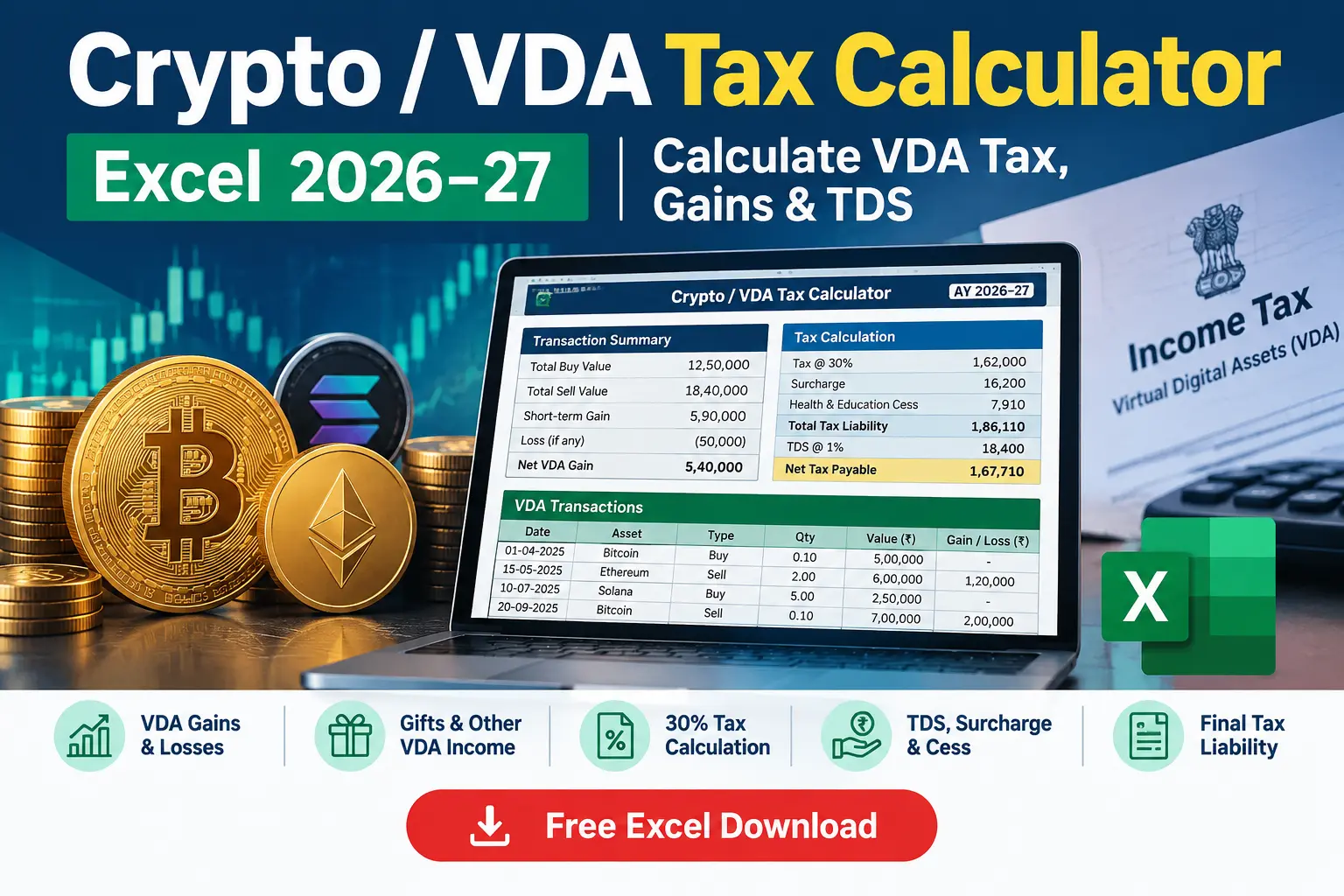
Crypto / VDA Tax Calculator Excel 2026–27
Calculate taxable Virtual Digital Asset (VDA) gains, account for VDA losses, gifts, mining, staking and airdrop income, TDS credit, surcharge and cess with this free Crypto / VDA Tax Calculator Excel template.
Download the VDA Tax Calculator Excel →Crypto tax calculation can become complicated when you have multiple VDAs, gains and losses, gifts, mining or staking rewards, airdrops and TDS. This Crypto / VDA Tax Calculator Excel 2026–27 is designed to bring these inputs together in one workbook and show the resulting VDA tax liability in a structured format.
The calculator lets you enter individual VDA transactions, calculate gains and losses, identify the taxable gains figure, include taxable VDA gifts and other VDA-related income, enter TDS already deducted, and arrive at the estimated VDA tax payable after surcharge, cess and TDS credit.
The template separately shows Total Gains Only and the hypothetical position if gains and losses were netted. This makes the effect of the VDA loss treatment visible instead of hiding it inside a single final number.
Quick Answer: What Does This VDA Tax Calculator Do?
This Excel calculator is designed to estimate tax on VDA transactions for Tax Year 2026–27. It calculates the VDA tax on taxable gains, separately considers VDA gifts and mining, staking and airdrop rewards, applies surcharge and 4% Health & Education Cess, and reduces the resulting liability by eligible VDA TDS credit entered into the calculator.
The workbook also highlights the treatment of VDA losses, including the difference between taxable gains calculated on a gains-only basis and a hypothetical netted position.
Download the Excel calculator and enter your VDA transactions, purchase cost, sale consideration, VDA gifts, other VDA income and TDS credit.
Jump to Free Excel Download →Crypto / VDA Tax Calculator Excel 2026–27
The Crypto / VDA Tax Calculator Excel 2026–27 is a free Excel utility for estimating tax on Virtual Digital Asset transactions. It is structured for taxpayers who may have multiple cryptocurrency, NFT or other VDA transactions during the year and need to understand their overall tax exposure.
Instead of calculating each transaction separately, the workbook provides a single calculation flow covering VDA sales or transfers, cost of acquisition, gains and losses, VDA gifts, mining, staking and airdrop rewards, TDS credit, surcharge, Health & Education Cess and the resulting net VDA tax payable.
What This VDA Tax Calculator Calculates
The calculator is designed to bring the major VDA-related inputs into one Excel worksheet. You enter the relevant information and the workbook calculates the corresponding figures automatically.
VDA Sale Transactions
Enter the asset name, sale consideration and cost of acquisition for individual VDA transactions. The workbook calculates the gain or loss for each transaction.
Gains and Losses
The calculator separately displays total gains and total losses, making the treatment of losses visible rather than combining everything into one net figure.
VDA Gifts
Enter the fair market value of VDA gifts received and indicate whether the specified relative, marriage or will/inheritance category applies.
Mining, Staking & Airdrops
The workbook provides a separate input for the fair market value of mining, staking and airdrop rewards received during the year.
VDA TDS Credit
Enter the VDA TDS already deducted so that the calculator can reduce the final calculated liability by the available credit.
Final Tax Liability
The tax computation section shows VDA tax, surcharge, Health & Education Cess, total liability and net VDA tax payable after TDS credit.
Key VDA Tax Rules Covered
The calculator is built around the VDA tax treatment described in the workbook. Understanding these rules is important because the final taxable amount can differ significantly from a simple calculation of net profit across all crypto transactions.
The workbook calculates Total Gains Only as the taxable VDA income figure and separately displays total losses for information. It also provides a hypothetical netting figure so that the difference can be clearly understood.
The workbook calculates VDA tax at 30% on the taxable VDA gains figure used by the calculator.
Losses from VDA transactions are separately identified and are not used to reduce the gains figure in the calculator.
The workbook notes that VDA losses are not carried forward to future years under the treatment incorporated in this template.
The calculator uses cost of acquisition in determining the gain or loss on each VDA transaction.
VDA gifts are entered separately from sales because the workbook treats receipt of a gift as a different tax event.
TDS entered in the workbook is treated as a credit against the calculated final liability rather than as the final tax itself.
Calculate Your VDA Tax in Excel
Use the free workbook to enter your transactions and review the calculated VDA tax liability.
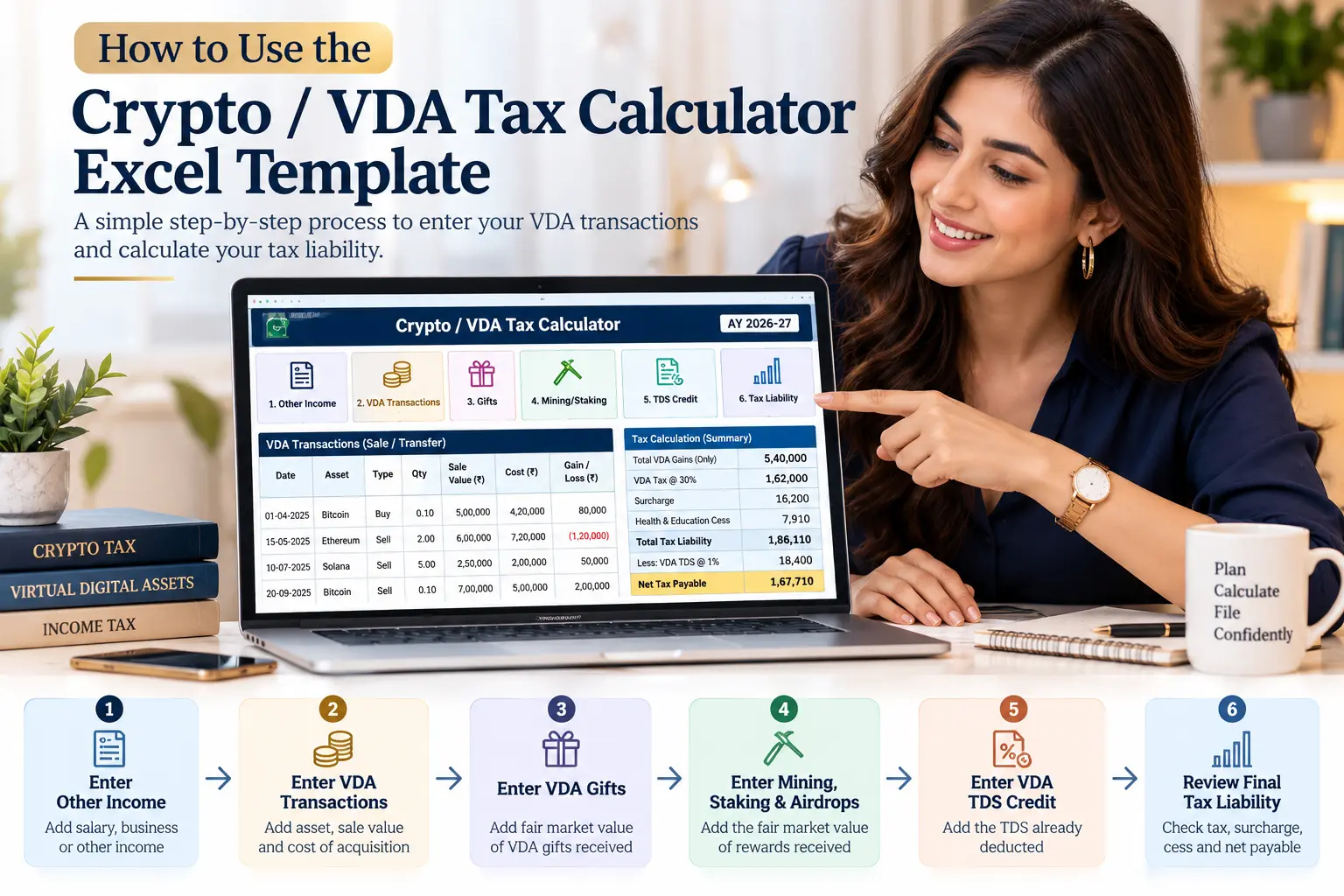
How to Use the Crypto Tax Calculator Excel Template
The workbook is designed as a simple input-and-result calculator. Complete the relevant input fields and the calculation section will update automatically.
Enter your total income from other sources, such as salary or business income, as requested by the workbook.
Select the applicable tax regime from the dropdown provided in the calculator.
Add each VDA sale or transfer with the asset name, sale consideration and cost of acquisition.
Check the Total Gains Only figure and the separately displayed Total Losses figure.
Enter qualifying VDA gifts and the fair market value of mining, staking and airdrop rewards where applicable.
Enter the VDA TDS already deducted during the year in the TDS section.
Review VDA tax, surcharge, cess, total liability and net VDA tax payable after TDS credit.
Crypto Gains, Losses, Gifts & Other VDA Income
One of the most useful aspects of this Crypto Tax Calculator is that it separates different types of VDA-related income instead of treating every receipt as a sale transaction.
Crypto Gains and Losses
For each VDA transaction, the workbook calculates the difference between sale consideration and cost of acquisition. It then displays total gains separately from total losses.
This comparison is included to demonstrate the difference between the gains-only calculation used by the workbook and a hypothetical position where gains and losses were netted. The workbook explicitly states that the hypothetical netting figure is for contrast only.
VDA Gifts
The calculator has a separate section for VDA received as a gift. You enter the fair market value of the VDA gift and indicate whether it falls within the specified categories identified in the workbook, including specified relatives, marriage, or will/inheritance.
Mining, Staking and Airdrop Rewards
Mining, staking and airdrop rewards are separately entered in the workbook. The calculator treats these receipts differently from a VDA purchased and subsequently sold, and provides a separate field for their fair market value at receipt.
| VDA Event | Calculator Treatment |
|---|---|
| VDA Sale / Transfer | Enter sale consideration and cost of acquisition to calculate the gain or loss. |
| VDA Loss | Displayed separately from the taxable gains figure. |
| VDA Gift | Enter separately using the gift input section. |
| Mining / Staking / Airdrop | Enter the fair market value of rewards received separately. |
| VDA TDS | Enter TDS deducted so it can be considered as a credit against the calculated liability. |

VDA TDS, Surcharge & Final Tax Liability
After the VDA transaction and other income inputs are entered, the workbook moves into the tax computation section. This brings together VDA tax, surcharge, Health & Education Cess and TDS credit to determine the net VDA tax payable shown by the calculator.
VDA Tax
The workbook calculates VDA tax at 30% on the Total Gains Only figure generated from the VDA transaction section.
TDS Credit
Enter the TDS deducted on VDA sales. The amount is considered as a credit when determining the remaining net tax payable.
Cess
The workbook calculates Health & Education Cess at 4% on the applicable tax and surcharge amount used in its computation.
The calculator determines the applicable surcharge tier using total income, which includes other income together with the taxable VDA gains and other taxable VDA-related amounts entered in the workbook.
The final calculation displays the VDA Tax Liability and then reduces that amount by the TDS credit entered by the user to arrive at the Net VDA Tax Payable.
Key Features of the Excel Template
The Crypto / VDA Tax Calculator is structured as a practical Excel utility rather than a standalone tax article. It includes separate worksheets for the calculator and instructions so that users can enter their information and understand the calculation flow.
Enter multiple assets and review the gain or loss calculated for each transaction.
Formula-driven calculations update the results when input values are changed.
The workbook clearly identifies the Total Gains Only figure used in its VDA tax computation.
VDA gifts are separately captured instead of being mixed with normal VDA sales.
A separate input is available for the fair market value of these VDA rewards received during the year.
The final section brings together TDS credit, surcharge, cess, total liability and net tax payable.
The workbook contains a VDA Tax Calculator sheet for entering transactions and calculating the liability, together with a How to Use sheet containing the step-by-step workflow.
Frequently Asked Questions About VDA Tax
What is a VDA tax calculator?
A VDA tax calculator is a tool used to estimate tax arising from Virtual Digital Asset transactions. This Excel calculator brings together VDA transactions, gains, losses, gifts, mining, staking, airdrops, TDS, surcharge and cess in one calculation.
Does this Crypto Tax Calculator calculate tax on multiple transactions?
Yes. The VDA Tax Calculator worksheet provides multiple transaction rows where you can enter the asset name, sale consideration and cost of acquisition.
How does the calculator treat VDA losses?
The workbook separately displays Total Gains Only and Total Losses. It does not use the displayed losses to reduce the Total Gains figure used for the VDA tax calculation. A separate hypothetical netting figure is shown for comparison.
Are VDA gifts included in the calculator?
Yes. The workbook has a dedicated VDA Gift section where you can enter the fair market value of VDA gifts received and identify whether the specified category selected in the workbook applies.
Can I enter mining, staking and airdrop income?
Yes. The calculator includes a separate input for the fair market value of mining, staking and airdrop rewards received during the year.
Does the calculator consider VDA TDS?
Yes. You can enter the total VDA TDS deducted during the year. The workbook uses this amount as a credit against the calculated tax liability to determine the net VDA tax payable.
Does the VDA calculator include surcharge and cess?
Yes. The tax computation section calculates the applicable surcharge tier and Health & Education Cess and then shows the resulting total VDA tax liability.
Is this VDA Tax Calculator suitable for filing a tax return?
The workbook is provided for estimation purposes. It should not be treated as a substitute for professional tax advice or verification of the provisions applicable to your specific tax return.

Download the Crypto / VDA Tax Calculator Excel 2026–27
Calculate VDA gains, review the treatment of losses, enter VDA gifts and other VDA income, account for TDS credit and review the estimated final tax liability in one structured Excel workbook.
Crypto / VDA Tax Calculator — Tax Year 2026–27
The workbook includes a dedicated VDA Tax Calculator sheet and a step-by-step How to Use sheet to help you work through the inputs and calculations.
Download Free VDA Tax Calculator Excel →Sources & References
The Crypto / VDA Tax Calculator Excel 2026–27 and the explanatory content on this page should be read together with the applicable provisions of the Income-tax Act, 2025, relevant rules, notifications and official guidance issued by the Income Tax Department. Readers should verify the applicable provisions and reporting requirements before using the calculator for a tax return or other formal purpose.
- Income-tax Act, 2025: Refer to the official text of the Income-tax Act, 2025 published by the Income Tax Department, Ministry of Finance, Government of India.
- Taxation of Virtual Digital Assets: For official guidance on VDA taxation, including the treatment of income from transfer of VDAs, applicable tax rate and VDA TDS, refer to the Income Tax Department’s official Taxation of Virtual Digital Asset (VDA) guidance .
- Income-tax Act, 2025 – Official Tax Portal: The Income Tax Department’s Income-tax Act, 2025 resource page provides access to the Act, Income-tax Rules, FAQs, guidance notes and other official tax resources.
- Official VDA reporting information: The Income Tax Department also provides information on Schedule VDA and the transaction-wise reporting of income arising from the transfer of Virtual Digital Assets.
Disclaimer
This Crypto / VDA Tax Calculator Excel template is provided for estimation and educational purposes only. It is not a substitute for professional tax advice, tax-return preparation or verification of the provisions applicable to your individual circumstances.
Tax laws, rules, rates, thresholds and interpretations may change. Verify the applicable provisions and calculations before relying on the results for a tax filing or other formal purpose.