

Calculate your eligible rent deduction under Section 80GG with a structured Excel calculator for taxpayers who pay rent without receiving House Rent Allowance (HRA). Compare the ₹5,000 per month limit, 25% of Adjusted Total Income and rent paid minus 10% of Adjusted Total Income to determine the applicable deduction.
Download Free 80GG Excel Calculator →The Section 80GG Rent Deduction Calculator Excel is designed to help individuals estimate the deduction available for rent paid when House Rent Allowance is not part of salary. It is particularly useful for self-employed professionals, freelancers and salaried employees whose salary structure does not include HRA.
Instead of assuming that the deduction is simply ₹5,000 per month, this 80GG deduction calculator compares the three prescribed calculation limits incorporated in the workbook and identifies the lowest applicable amount.
The workbook calculates the eligible deduction as the least of ₹5,000 per month (₹60,000 annually), 25% of Adjusted Total Income, and rent paid minus 10% of Adjusted Total Income, subject to the eligibility conditions built into the calculator.
Who Can Claim Rent Deduction Under Section 80GG?
Section 80GG rent deduction is intended for taxpayers who pay rent for residential accommodation but do not receive HRA as part of salary. The workbook specifically covers individuals such as freelancers, self-employed professionals and salaried employees without an HRA component.
The calculator checks three key eligibility conditions: the Old Tax Regime must be selected, the taxpayer must not receive HRA, and the taxpayer, spouse or minor child must not own and self-occupy residential property at the place of work or business.
Download the free Excel workbook and enter your tax regime, HRA status, residential property status, Gross Total Income, other Chapter VI-A deductions and annual rent paid.
Jump to Free 80GG Excel Download →Section 80GG Rent Deduction Calculator Excel 2026–27
The Section 80GG Rent Deduction Calculator Excel is a free TaxBizMantra workbook for estimating the deduction available on rent paid for residential accommodation when HRA is not received. It converts the principal inputs into a structured comparison so that you can see which of the three calculation limits determines the deduction.
The 80GG Rent Deduction Calculator is especially useful where a taxpayer does not have HRA in salary. The workbook is designed for self-employed professionals, freelancers and salaried employees without HRA and includes eligibility checks before arriving at the deduction.
Rent Deduction
Estimate the deduction available for qualifying rent paid on residential accommodation.
No HRA Condition
The calculator checks whether any House Rent Allowance is received before allowing the deduction.
Three-Way Calculation
The workbook compares the three calculation amounts and applies the least amount where the eligibility conditions are satisfied.
The workbook does not simply grant ₹60,000 whenever rent is paid. It compares the annualized ₹5,000 monthly amount with 25% of Adjusted Total Income and rent paid less 10% of Adjusted Total Income. The lowest of the three is used in the calculator when the taxpayer is eligible.
Section 80GG Eligibility: Rent Paid Without HRA
The 80GG rent deduction eligibility section of the Excel calculator checks the main conditions before calculating any deduction. This prevents the workbook from producing a deduction merely because rent has been entered.
The workbook is designed for the Old Tax Regime and treats the deduction as unavailable when the New Regime is selected.
The calculator checks whether any House Rent Allowance is received from the employer. The workbook treats receipt of HRA as disqualifying the 80GG claim.
The workbook checks whether the taxpayer, spouse or minor child owns and self-occupies residential property at the place of work or business.
Rent must relate to the taxpayer’s own residential accommodation and should be paid to a genuine landlord.
The workbook notes that the deduction is available to individuals and HUFs, including self-employed taxpayers where the relevant conditions are satisfied.
The workbook flags Form 10BA, or the applicable successor form under the new Act, as an important compliance requirement.
The calculator is specifically designed for cases where HRA is not received. If the Section A HRA answer is changed to Yes, the workbook returns the taxpayer as ineligible for the deduction.
How to Calculate 80GG Rent Deduction: Three-Way Formula
The 80GG deduction calculator formula in the workbook compares three amounts. The eligible deduction is the least of the three, provided the taxpayer passes the eligibility checks.
| Calculation | Amount Used by Workbook |
|---|---|
| Monthly / Annual Ceiling | ₹5,000 per month, annualized to ₹60,000 |
| Percentage of Adjusted Total Income | 25% of Adjusted Total Income |
| Rent-Based Calculation | Rent Paid minus 10% of Adjusted Total Income |
| Final Deduction | Least of the three amounts, subject to eligibility |
A taxpayer may pay substantial rent but still have a lower eligible deduction because one of the income-based limits can be lower than the annual ₹60,000 ceiling. Showing all three amounts makes it clear which calculation actually determines the result.
Adjusted Total Income for the 80GG Deduction Calculator
The Adjusted Total Income used in the workbook starts with Gross Total Income and reduces the other Chapter VI-A deductions entered by the user before calculating the 80GG deduction.
In the simplified workbook methodology, the calculation is:
Section 80GG itself is not deducted again when arriving at this figure.
Gross Total Income
Enter annual Gross Total Income before the 80GG deduction and other Chapter VI-A deductions.
Other Deductions
Enter applicable Chapter VI-A deductions such as 80C and 80D, excluding Section 80GG itself.
Adjusted Income
The workbook subtracts the entered other deductions to arrive at the simplified Adjusted Total Income used in the comparison.
The workbook itself notes that the full statutory definition can involve additional exclusions, including specified capital gains and certain income under Sections 115A/115D. Those items are not separately modelled in this simplified calculator. Taxpayers with significant capital gains or relevant non-resident income should verify the actual Adjusted Total Income separately.
Form 10BA for Section 80GG Rent Deduction
Form 10BA is an important compliance step associated with a Section 80GG rent deduction claim. The workbook specifically reminds users that the form must be completed before filing the return where applicable.
The Income Tax Department’s current AY 2026–27 guidance also states that taxpayers claiming Section 80GG must file Form 10BA before filing the return and enter its acknowledgement number in Schedule 80GG. :chatgpt-content-reference{index=”0″}
Confirm that the Old Regime applies, HRA is not received and the relevant residential-property condition is satisfied.
Use the Excel calculator to compare the three amounts and identify the least eligible amount.
Follow the applicable return-filing procedure and complete the required declaration before submitting the return.
Keep appropriate rent-payment and tenancy-related records for your tax records and verification.
Calculate Your 80GG Rent Deduction in Excel
Enter your income, rent and eligibility details and let the workbook compare the three deduction limits.

How to Use the Section 80GG Rent Deduction Calculator Excel
The 80GG Rent Deduction Calculator Excel Template follows an input-and-result format. Enter the relevant information in the designated input cells and review the automatically calculated deduction in Section C.
Select the Old Tax Regime in Section A. The workbook treats the deduction as unavailable under the New Regime.
Select whether you receive any House Rent Allowance from your employer. The workbook requires the answer to be No.
Confirm whether you, your spouse or minor child own and self-occupy residential property at your place of work or business.
Enter annual Gross Total Income before the 80GG deduction and before the other Chapter VI-A deductions entered in the workbook.
Enter deductions such as 80C and 80D, excluding the 80GG deduction itself.
Enter the actual annual rent paid for your own residential accommodation.
Review ₹5,000 per month annualized, 25% of Adjusted Total Income and rent paid minus 10% of Adjusted Total Income.
Section C displays the final Section 80GG deduction based on the least-of-three calculation and the eligibility result.
Key Features of the 80GG Rent Deduction Excel Calculator
This Section 80GG Excel Template is designed to make rent deduction estimation easier by bringing eligibility checks, income inputs and the three-way deduction calculation into one workbook.
The workbook checks the tax regime, HRA status and residential property condition before calculating the deduction.
The calculator annualizes the ₹5,000 monthly amount to ₹60,000 for comparison with the other two limits.
The workbook calculates 25% of Adjusted Total Income as the second comparison amount.
The third comparison amount is annual rent paid minus 10% of Adjusted Total Income, subject to the workbook’s calculation.
Change the input values and the Excel formulas automatically update the resulting deduction.
A dedicated How to Use sheet explains the required inputs and calculation process.
Important Section 80GG Rules Before Using the Calculator
The 80GG rent deduction rules should be considered together with the calculations shown by the Excel template. The workbook is an estimation utility and does not replace verification of the provisions applicable to an individual tax return.
HRA Status Matters
The workbook treats receipt of HRA as a disqualifying condition for the Section 80GG calculation.
Rent Must Be Genuine
The workbook expects rent to relate to the taxpayer’s own residential accommodation and identifies rent paid to a spouse as generally not accepted.
Old Regime Only
The workbook is designed specifically around the Old Tax Regime and does not calculate a Section 80GG deduction under the New Regime.
The workbook labels the corresponding provision under the Income Tax Act, 2025 as Section 134, formerly Section 80GG under the Income-tax Act, 1961. It also expressly notes that this new-Act section number has not been independently confirmed by a second source. The calculator therefore preserves that caveat rather than presenting the new section number as independently verified.
Section 80GG Rent Deduction Calculator FAQs
What is the Section 80GG rent deduction?
Section 80GG provides a deduction relating to rent paid for residential accommodation where the applicable conditions are satisfied and HRA is not part of salary. The workbook calculates the deduction using the least of ₹5,000 per month, 25% of Adjusted Total Income and rent paid minus 10% of Adjusted Total Income.
How much rent deduction can I claim under Section 80GG?
The workbook compares three amounts: ₹5,000 per month annualized to ₹60,000, 25% of Adjusted Total Income, and rent paid minus 10% of Adjusted Total Income. The lowest amount is used where the eligibility conditions are satisfied.
Can I claim 80GG if I receive HRA?
The workbook treats receipt of any HRA as a disqualifying condition for its Section 80GG calculation. It is specifically designed for taxpayers who pay rent without receiving HRA.
Can a salaried employee claim Section 80GG?
Yes, the workbook is designed to cover salaried employees whose salary structure does not include HRA, subject to the other eligibility conditions.
Can self-employed professionals and freelancers claim 80GG?
The workbook specifically identifies self-employed professionals and freelancers as intended users where they pay rent for their residential accommodation and satisfy the applicable conditions.
Is the Section 80GG deduction available under the New Tax Regime?
The workbook is designed for the Old Tax Regime and treats the deduction as unavailable when the New Regime is selected. The Income Tax Department’s current AY 2026–27 guidance also lists Section 80GG among deductions subject to the applicable regime conditions.
Is Form 10BA mandatory for claiming Section 80GG?
The Income Tax Department states that Form 10BA must be filed before filing the return when claiming Section 80GG, with the acknowledgement number entered in Schedule 80GG. The workbook therefore treats Form 10BA as an important mandatory compliance step.
Does the calculator use the ₹60,000 limit automatically?
No. The workbook does not simply use ₹60,000 as the deduction. It compares the annualized ₹5,000 monthly amount with 25% of Adjusted Total Income and rent paid minus 10% of Adjusted Total Income and uses the least amount when eligible.
Does the 80GG calculator consider other Chapter VI-A deductions?
Yes. The workbook asks for other Chapter VI-A deductions, such as 80C and 80D, excluding 80GG itself, and uses them in calculating the workbook’s simplified Adjusted Total Income.
Can I claim 80GG if I own a house at my place of work?
The workbook checks whether the taxpayer, spouse or minor child owns and self-occupies residential property at the place of work or business. If the condition is answered Yes, the calculator returns the taxpayer as not eligible.
Is this Section 80GG Excel calculator suitable for filing a tax return?
The workbook is provided for estimation purposes. It should not be treated as a substitute for professional tax advice or verification of the provisions applicable to your specific tax return.

Download Section 80GG Rent Deduction Calculator Excel Template 2026–27
Estimate your Section 80GG rent deduction using a structured Excel calculator designed for rent paid without HRA. Enter your income, other Chapter VI-A deductions, rent paid and eligibility details to review the three calculation limits and the resulting deduction.
Section 80GG Rent Deduction Calculator — Tax Year 2026–27
The workbook includes a dedicated 80GG Deduction Calculator sheet and a How to Use sheet covering eligibility, income inputs, rent details and the final three-way deduction calculation.
Download Free 80GG Excel Calculator →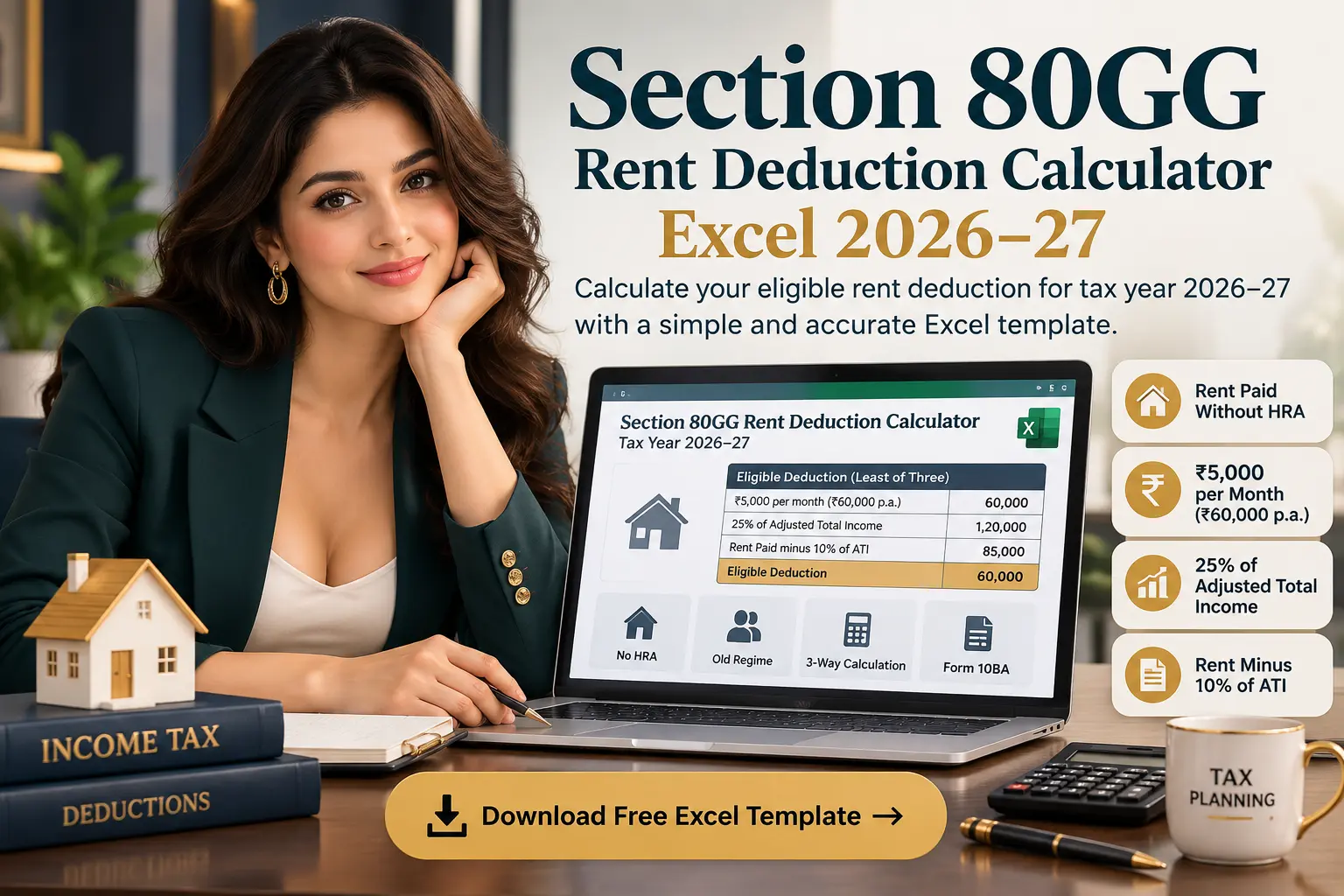
Sources & References
The Section 80GG Rent Deduction Calculator Excel and the explanatory content on this page should be read together with the applicable income-tax provisions, official guidance and the assumptions stated within the workbook.
-
Income Tax Department — AY 2026–27 guidance:
The Income Tax Department’s current guidance describes Section 80GG
as a deduction relating to rent paid and states the three-way
comparison involving rent reduced by 10% of total income, ₹5,000
per month and 25% of total income. It also states the Form 10BA
requirement.
View Income Tax Department guidance for AY 2026–27 → -
Income Tax Department — Section 80GG:
Official return-filing guidance identifies Section 80GG as the
deduction relating to rent paid where HRA is not part of salary
and specifies the applicable calculation limits.
View official Section 80GG guidance → -
Form 10BA:
The Income Tax Department states that Form 10BA must be filed when
claiming Section 80GG and that its acknowledgement number is
required in Schedule 80GG.
View official Form 10BA guidance → - Workbook methodology: The calculation structure, eligibility checks, input fields, three-way comparison and output presentation on this page are based on the TaxBizMantra Section 80GG Rent Deduction Calculator Excel workbook.
The workbook identifies Section 134 of the Income Tax Act, 2025 as the corresponding provision formerly associated with Section 80GG, but expressly notes that this specific new-Act section number has not been independently confirmed by a second source. The workbook therefore preserves this qualification.
Disclaimer
This Section 80GG Rent Deduction Calculator Excel is provided for estimation and educational purposes only. It is based on the methodology and assumptions stated in the workbook and should not be treated as a substitute for professional tax advice, statutory interpretation or verification of the provisions applicable to your specific circumstances.
Tax rules, forms, thresholds, tax-regime conditions and filing requirements may change. Verify the applicable provisions and reporting requirements before using the calculator for an actual income-tax return.