
Calculate Capital Gains Tax for FY 2026-27 — Without Building the Formula Yourself
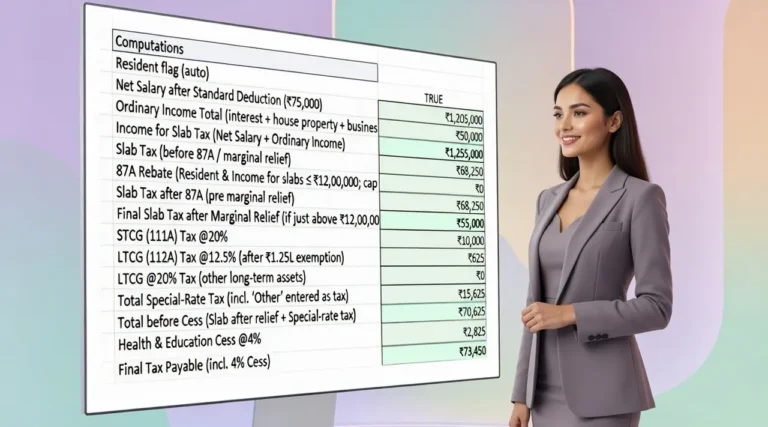
Equity, property, STCG, LTCG, indexation, Section 87A, surcharge and cess can make a capital gains calculation surprisingly complicated. This Excel calculator brings the key calculations into one structured workbook so you can estimate your tax liability using your own figures.
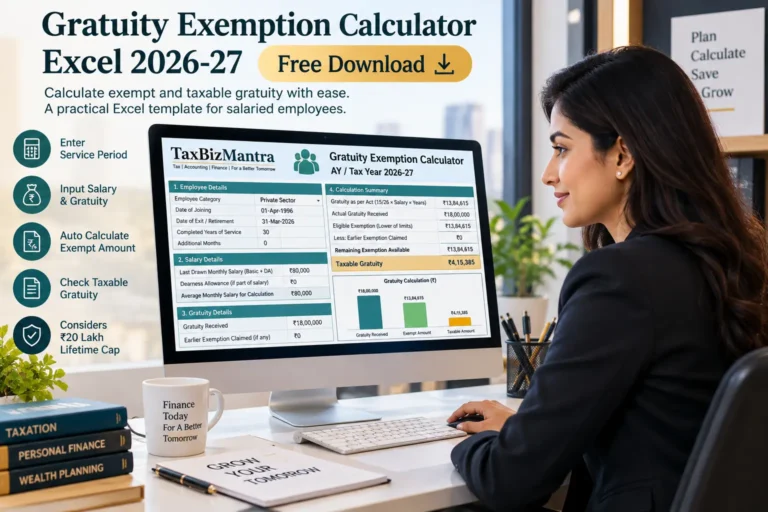
The Capital Gains Tax Calculator Excel Template for FY 2026-27 helps you work through supported equity and property capital gains and understand how the resulting tax liability is built up.
Download the Free Excel Template →What the Capital Gains Tax Calculator Template Covers
The Capital Gains Tax Calculator is designed to help individuals estimate tax arising from common capital-gain transactions. Instead of working through separate calculations manually, the Excel template brings the relevant inputs and tax computation into one structured workbook.
Short-Term and Long-Term Capital Gains
The workbook separates short-term capital gains (STCG) and long-term capital gains (LTCG), because the tax treatment can differ depending on the nature of the asset and the applicable provisions.
Equity and Listed Securities
The calculator provides separate treatment for supported equity-related capital gains, including STCG and LTCG where special capital-gains tax rates apply.
Immovable Property
For qualifying property transactions, the workbook allows the user to compare the applicable 12.5% non-indexed approach with the 20% indexed approach where the relevant conditions are satisfied.
The calculator is intended as a practical estimation tool. It does not replace a detailed computation by a tax professional where the transaction involves complex exemptions, losses, multiple improvements, special circumstances or other provisions.

How to Calculate Capital Gains Tax for FY 2026-27
The starting point is to determine the capital gain from the transaction. The basic calculation generally considers the sale consideration and the relevant cost, subject to the rules applicable to the particular asset.
| Step | What to Consider |
|---|---|
| 1. Identify the asset | Determine whether the transaction relates to equity, property or another supported capital asset. |
| 2. Determine the holding period | Classify the gain as short-term or long-term based on the applicable rules. |
| 3. Determine the taxable gain | Calculate the gain after considering the relevant cost and applicable adjustments. |
| 4. Apply the tax treatment | Use the rate applicable to the type of capital gain and transaction. |
| 5. Consider tax components | Review the applicable tax-regime provisions, rebate, surcharge and cess. |
Want to work through the calculation using your own figures? Use the Capital Gains Tax Calculator Excel Template .
Equity Capital Gains: STCG and LTCG
Equity transactions can have a different tax treatment from ordinary income. The applicable rate depends on the nature of the transaction and whether the resulting gain is short-term or long-term.
Short-Term Capital Gains on Equity
Where the applicable special-rate provisions for equity STCG apply, the gain is taxed at the prescribed special rate rather than being simply added to the taxpayer’s normal slab-rate income.
Long-Term Capital Gains on Equity
Qualifying equity LTCG is subject to the applicable long-term capital-gains provisions. The workbook separately considers the available LTCG exemption threshold before calculating the taxable portion of the gain.
Practical point: Keep your purchase cost, sale value and transaction details ready before using the workbook. The quality of the estimate depends on the accuracy of the figures entered.
If you regularly calculate gains from shares or other listed investments, the Excel template can make it easier to keep the calculation in one place. Download the template from the section below when you are ready to calculate your own figures.

Property Capital Gains: 12.5% vs 20% With Indexation
Property transactions require particular attention because the applicable tax treatment can depend on when the property was acquired and the provisions applicable to the transaction.
For a qualifying land or building acquired before 23 July 2024, a resident individual or HUF may need to compare the tax outcome under the 12.5% long-term capital-gains calculation without indexation with the 20% calculation using indexed cost, subject to the conditions prescribed under the applicable provisions.
| Method | Broad Approach |
|---|---|
| 12.5% option | Capital gain is calculated without indexation and taxed at the applicable rate. |
| 20% indexed option | Eligible cost is indexed using the Cost Inflation Index and the resulting gain is taxed at 20%. |
The Excel calculator is useful here because the two methods can produce different taxable gains. The taxpayer can therefore see the effect of the alternative calculation rather than relying on a simple percentage calculation.
Compare the applicable property calculation in the Excel template before finalising your tax estimate.
Capital Gains, Tax Regime and Section 87A Rebate
Under the new tax regime, an eligible resident individual may claim the Section 87A rebate subject to the prescribed conditions and income limit. For FY 2026-27, the maximum rebate is ₹60,000 where the eligible taxable income does not exceed ₹12 lakh.
The rebate should not be treated as a blanket reduction of tax on every type of income. Tax on income chargeable at special rates, including specified capital gains, is considered separately when determining the rebate and the final tax liability.
Why this matters: A taxpayer can have both normal slab-rate income and special-rate capital gains. The tax calculation therefore needs to keep these components separate rather than applying the rebate to the entire tax amount.
Surcharge and Health & Education Cess on Capital Gains
Capital gains can form part of the taxpayer’s overall income for surcharge purposes. The applicable surcharge depends on the total-income threshold and the nature of the income included in the calculation.
Specified capital gains are subject to a separate surcharge limitation in the applicable cases, with the surcharge on such special-rate income capped at 15%. Health & Education Cess is then charged at 4% on income tax plus applicable surcharge.

Important Assumptions and Limitations
A calculator is useful only when its scope is clear. This Excel template is designed as an estimation and educational tool and should not be treated as a substitute for professional tax advice in complex cases.
Capital Losses
Capital-loss set-off and carry-forward are not fully modelled in the simplified calculator. Users should not treat a zero result for a transaction as a substitute for a detailed capital-loss computation.
Property Improvement Costs
Where improvement expenditure was incurred in different financial years, the applicable indexed cost may need to be calculated separately. Users with multiple improvement years should verify the calculation independently.
Exemptions and Special Provisions
The workbook does not determine eligibility for every possible capital gains exemption. Where an exemption such as Section 54, 54F or another provision is relevant, the user should determine the legally applicable exemption separately and enter the relevant amount where the workbook provides for it.
Surcharge and Marginal Relief
The workbook provides a structured surcharge estimate, but marginal relief and certain threshold-specific surcharge situations are not fully automated. High-income cases, particularly those involving substantial special-rate capital gains, should therefore be independently verified.
Other Special Situations
Transactions involving special valuation rules, complex ownership structures, multiple acquisition dates, inherited assets, gifts, business assets or other unusual circumstances may require a separate professional computation.
These limitations are intentional. The purpose of the workbook is to provide a practical calculation framework without giving the impression that every possible capital-gains situation can be resolved from a few inputs.

How to Use the Capital Gains Tax Excel Template
Once you have the required transaction details, the workbook can be used in a few straightforward steps.
- Select the applicable tax regime and taxpayer details where required by the workbook.
- Enter the capital-gain transaction details, including the relevant sale value, purchase cost and other requested information.
- Enter other taxable income where required so that the calculator can consider the interaction between normal-rate income and capital gains.
- Review the applicable capital-gains calculation for equity, property or other supported assets.
- Check the final tax calculation, including applicable rebate, surcharge and cess shown by the workbook.
Ready to calculate your own figures? Get the Capital Gains Tax Calculator Excel Template from the download section below.

Download the Capital Gains Tax Calculator Excel Template
Ready to calculate your capital gains tax for FY 2026-27? Download the Excel template and enter your own figures to work through the calculation in a structured format.
The workbook is designed to help with common equity and property capital gains calculations, including STCG, LTCG, applicable tax treatment and related tax components.
Download Capital Gains Tax Calculator Excel →Frequently Asked Questions
Is this Capital Gains Tax Calculator Excel template free?
Yes. The template is provided as a downloadable Excel tool for estimating capital gains tax based on the inputs and assumptions supported by the workbook.
Can I use this calculator for FY 2026-27?
Yes. The workbook is designed for the FY 2026-27 tax calculation framework and incorporates the applicable CII and tax-rate structure covered by the template.
Does the calculator cover equity STCG and LTCG?
Yes. The workbook separately handles supported equity short-term and long-term capital gains and applies the relevant calculation structure.
Can I calculate capital gains tax on property?
Yes. The calculator includes a property capital-gains calculation and allows the applicable 12.5% and 20% indexed approaches to be considered where the relevant conditions are met.
Does the calculator calculate capital losses?
Capital-loss set-off and carry-forward are outside the full scope of this simplified calculator. A separate detailed computation should be used where capital losses are involved.
Does the calculator determine Section 54 or 54F eligibility?
No. Eligibility for exemptions such as Section 54 or 54F depends on the facts and conditions of the transaction. The workbook should be used with an exemption amount that has been determined separately where applicable.
Should I rely on the calculator for filing my tax return?
The calculator is intended for estimation, educational and planning purposes. For complex transactions or situations involving substantial tax implications, verify the computation with the applicable law or a qualified tax professional before filing.

Sources & References
The tax treatment and key provisions referenced in this calculator are based on official Income Tax Department guidance and tax-return resources.
Official source: Income Tax Department, Government of India. Tax rules and filing guidance may change through amendments, notifications and subsequent official guidance.
Disclaimer
The Capital Gains Tax Calculator Excel Template is provided for informational and educational purposes only. It is designed to provide an indicative estimate based on the information and assumptions entered by the user. The calculation should not be treated as tax advice or as a substitute for professional tax consultation.
Actual tax liability may vary depending on the taxpayer’s residential status, nature and period of holding, acquisition and improvement dates, applicable exemptions, capital losses, deemed consideration provisions, surcharge, marginal relief, and other provisions of the Income Tax Act, 2025 and applicable rules, notifications and amendments.
Certain complex tax situations and threshold-based provisions may not be fully automated in the template. Users should independently verify the calculation against the applicable tax law and official Income Tax Department guidance. Where required, consult a qualified tax professional before relying on the calculation for filing or tax-planning purposes.
TaxBizMantra makes reasonable efforts to keep its calculators and related information updated, but does not warrant that the calculator will produce the exact tax liability applicable to every taxpayer, transaction or set of circumstances.