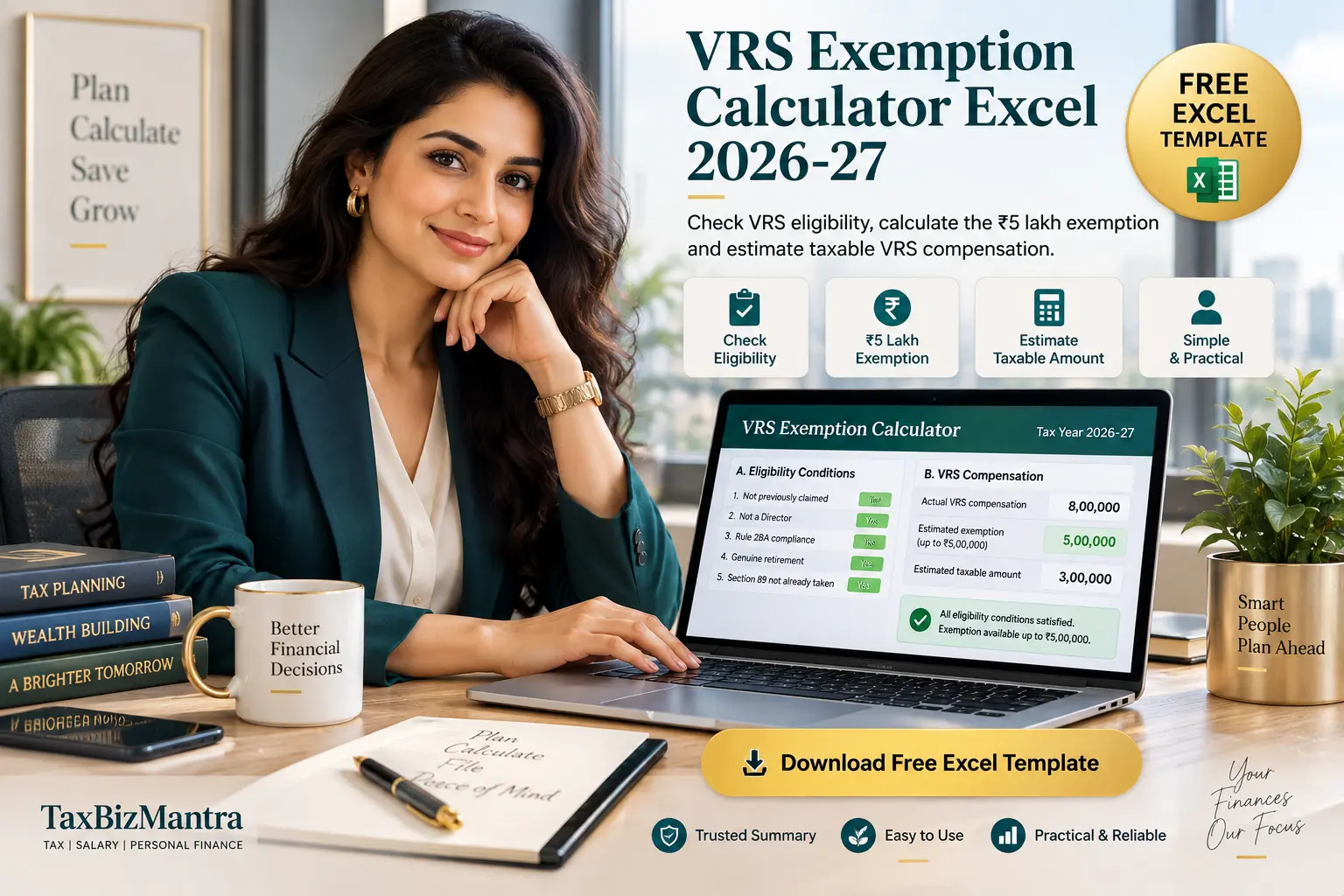
Calculate estimated exempt and taxable VRS compensation using this practical VRS Exemption Calculator Excel template. Check the key eligibility conditions, the ₹5 lakh exemption limit and the taxable portion of your Voluntary Retirement Scheme compensation.
Download Free VRS Exemption Calculator Excel →A Voluntary Retirement Scheme (VRS) payment can have a significant tax impact, particularly when the compensation received is higher than the amount eligible for exemption. The VRS Exemption Calculator Excel is designed to make that calculation easier by checking the important eligibility conditions first and then calculating the estimated exempt and taxable VRS compensation.
Unlike some other salary-related exemptions, the workbook does not use a multi-limit “least of” calculation for the employee’s exemption. Instead, where all eligibility conditions are satisfied, the calculator applies the actual VRS compensation received subject to the ₹5,00,000 exemption ceiling.
It checks five eligibility conditions, calculates the estimated exempt VRS compensation up to ₹5 lakh and shows the remaining amount as taxable VRS compensation.
How Does the VRS Exemption Calculator Work?
The VRS Exemption Calculator Excel first checks whether all five eligibility conditions are satisfied. If every condition passes, the estimated exemption is the lower of the actual VRS compensation received and ₹5,00,000.
If any eligibility condition fails, the calculator shows zero exemption and treats the compensation as taxable in the calculation.
The workbook also separately highlights that Section 10(10C) exemption and Section 89 relief should not be claimed together for the same VRS payment.
VRS Exemption Calculator Excel — Contents
- What Is a VRS Exemption Calculator Excel?
- What Is VRS Compensation?
- VRS Exemption Eligibility Conditions
- ₹5 Lakh VRS Exemption Limit
- How the VRS Exemption Calculator Works
- VRS Exemption vs Section 89 Relief
- Practical VRS Exemption Calculation Example
- How to Use the VRS Exemption Excel Template
- Who Can Use This VRS Excel Template?
- Important Assumptions and Limitations
- Frequently Asked Questions
- Download the VRS Exemption Calculator Excel
What Is a VRS Exemption Calculator Excel?
A VRS Exemption Calculator Excel template is a spreadsheet-based tax utility designed to estimate how much of a Voluntary Retirement Scheme compensation payment may qualify for exemption and how much may remain taxable.
The TaxBizMantra calculator is structured differently from a simple VRS amount calculator. It first tests the eligibility conditions and then performs the exemption calculation only when all required conditions are satisfied.
This makes the VRS Exemption Excel Template useful not only for calculating an amount but also for identifying the condition that may prevent the exemption from being available.
What Is VRS Compensation?
VRS compensation is the amount received by an employee under a Voluntary Retirement Scheme. The tax treatment depends not merely on the amount received but also on whether the relevant conditions for exemption are satisfied.
The workbook therefore separates the calculation into three broad stages:
Eligibility
The calculator checks the five conditions required for the exemption.
Exemption
If all conditions pass, the calculator applies the ₹5 lakh exemption ceiling.
Taxable Amount
Any amount remaining after the estimated exemption is shown as taxable VRS compensation.
VRS Exemption Eligibility Conditions
The VRS Exemption Calculator checks five conditions before allowing any exemption. According to the workbook, all five conditions must be satisfied.
The exemption must not have been claimed previously from any employer in any earlier year. The workbook treats this as a once-in-a-lifetime benefit.
A Director of the company or co-operative society making the payment is excluded under the workbook’s Rule 2BA eligibility check.
The VRS scheme must satisfy the relevant Rule 2BA conditions, including the structural requirements applicable to the scheme.
The separation must be under a genuine VRS arrangement rather than an ordinary resignation.
The workbook checks whether Section 89 relief has already been claimed on the same VRS payment.
If even one condition fails, the calculator shows that the VRS exemption is not available.
₹5 Lakh VRS Exemption Limit
One of the most important features of this VRS Exemption Calculator Excel is that it does not calculate the employee exemption using a “least of several amounts” formula.
Once all five eligibility conditions are satisfied, the workbook applies the lower of the actual VRS compensation received and ₹5,00,000.
Actual VRS Compensation
The actual amount received or receivable under the VRS is entered into the calculator.
₹5,00,000 Ceiling
The estimated exemption cannot exceed ₹5 lakh when the eligibility conditions are satisfied.
Remaining Taxable Amount
The amount exceeding the estimated exemption is shown separately as taxable VRS compensation.
How the VRS Exemption Calculator Works
The VRS Exemption Calculator Excel template follows a straightforward calculation workflow.
Confirm whether the exemption has ever been claimed previously.
Confirm that the employee is not a Director of the paying company or co-operative society.
Confirm that the VRS scheme satisfies the applicable Rule 2BA conditions.
Confirm that the payment relates to genuine VRS retirement rather than ordinary resignation.
Confirm that Section 89 relief has not already been taken on the same VRS payment.
If every condition passes, exemption is capped at ₹5 lakh.
Need a quick VRS tax estimate?
Use the free VRS Exemption Calculator Excel template to check eligibility and estimate your exempt and taxable VRS compensation.
VRS Exemption vs Section 89 Relief
A particularly important feature of this VRS Exemption Excel Template is the separate Section 89 eligibility check.
The workbook states that the Section 10(10C) exemption and Section 89 relief are mutually exclusive for the same VRS payment. Accordingly, the calculator asks whether Section 89 relief has already been taken on that payment.
VRS Exemption
Where all eligibility conditions are satisfied, the workbook calculates exemption up to ₹5,00,000.
Section 89 Relief
The workbook does not calculate Section 89 relief. It only flags the issue so that the taxpayer can compare the applicable tax treatments before making a decision.
VRS Exemption Calculator Excel Example
Example Input
Assume the employee receives ₹8 lakh as actual VRS compensation and all five eligibility conditions are satisfied.
The calculator then applies the ₹5 lakh exemption ceiling.
Calculation
Actual VRS compensation: ₹8,00,000
Maximum exemption: ₹5,00,000
Estimated exempt amount: ₹5,00,000
Estimated taxable VRS compensation: ₹3,00,000
Therefore, where all eligibility conditions are satisfied, the calculator would show ₹5 lakh as the estimated exemption and ₹3 lakh as taxable VRS compensation.
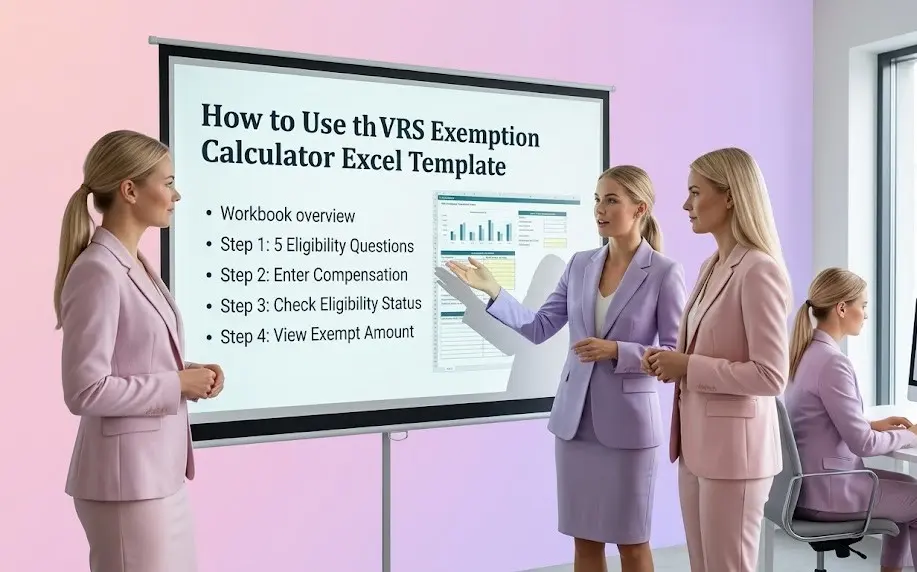
How to Use the VRS Exemption Calculator Excel Template
The workbook is designed to be simple to use. You only need to enter the required information and answer the eligibility questions.
Complete all five eligibility questions in the VRS Exemption Calculator sheet.
Enter the actual VRS compensation received in the designated input field.
The calculator displays a separate pass/fail status for each eligibility condition.
If all conditions pass, the estimated exempt VRS compensation is calculated automatically.
The calculator then shows the estimated taxable VRS compensation.
If relevant, compare the applicable Section 89 treatment before finalising your tax position.
Who Can Use This VRS Exemption Excel Template?
This VRS Exemption Calculator Excel can be useful for employees who have accepted or are considering a Voluntary Retirement Scheme package and want to understand the potential tax treatment of the compensation.
Employees Accepting VRS
Estimate the potential exemption and taxable portion of a VRS compensation package.
Employees Evaluating a VRS Offer
Use the calculator as an initial tax-planning and estimation utility before reviewing the final tax position.
HR & Payroll Teams
Use the template as a practical reference for understanding the employee-level exemption calculation.
Important Assumptions and Limitations
The workbook applies a maximum exemption of ₹5 lakh where all eligibility conditions are satisfied.
The calculator does not compare salary, completed service and remaining service as separate employee-level exemption limits.
The workbook treats the exemption as a once-in-a-lifetime benefit, rather than a running lifetime balance.
An ordinary resignation is not treated as qualifying for the VRS exemption in this calculator.
The workbook specifically checks whether the employee is a Director of the paying company or co-operative society.
The calculator flags the Section 89 issue but does not compute Section 89 relief or compare the resulting tax liability.
Actual compliance with the VRS scheme conditions requires review of the employer’s scheme and supporting facts.
The calculator is intended for estimation and educational purposes and should not replace professional tax advice.
VRS Exemption Calculator Excel — FAQs
What is a VRS Exemption Calculator Excel?
It is an Excel-based calculator that helps estimate the exempt and taxable portion of VRS compensation after checking the relevant eligibility conditions.
What is the maximum VRS exemption in this calculator?
The workbook applies a maximum exemption of ₹5,00,000 when all required eligibility conditions are satisfied.
Is the VRS exemption calculated using a least-of formula?
No. The workbook specifically treats the ₹5 lakh amount as a flat ceiling. Where eligibility conditions are satisfied, the exemption is the lower of actual VRS compensation and ₹5 lakh.
Can the VRS exemption be claimed more than once?
The workbook treats the exemption as a once-in-a-lifetime benefit. It therefore asks whether the exemption has been claimed from any employer in an earlier year.
Does resignation qualify for the VRS exemption?
The calculator distinguishes genuine VRS retirement or separation from ordinary resignation. Ordinary resignation is treated as not qualifying under the workbook’s eligibility logic.
Can a Director claim the VRS exemption?
The workbook checks Director status as one of the eligibility conditions and treats a Director of the paying company or co-operative society as excluded.
Can I claim Section 89 relief and VRS exemption on the same payment?
The workbook treats the two treatments as mutually exclusive for the same VRS payment. It does not calculate Section 89 relief, so the applicable alternatives should be evaluated separately.
What does the VRS Exemption Calculator Excel template calculate?
It checks the five eligibility conditions, calculates the estimated exempt VRS compensation and displays the taxable VRS compensation remaining after the estimated exemption.
Is this VRS Exemption Excel Template suitable for tax filing?
It is an estimation and educational utility. The workbook itself recommends confirming the current legal provisions and the actual Rule 2BA compliance of the employer’s scheme before relying on the result for a real tax filing.
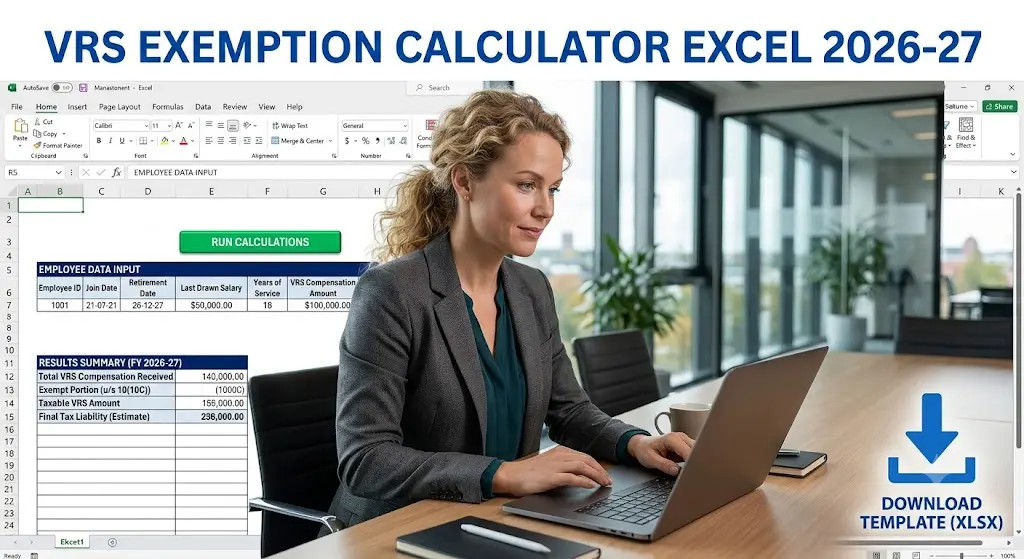
Download Free VRS Exemption Calculator Excel Template
Download the free VRS Exemption Calculator Excel template for Tax Year 2026-27 and estimate your exempt and taxable VRS compensation in a practical Excel format.
VRS Exemption Calculator Excel 2026-27
The workbook includes the VRS Exemption Calculator and a separate How to Use sheet. Enter the VRS compensation and answer the eligibility questions to generate the calculation.
Download Free VRS Exemption Calculator Excel →Free Excel utility for estimation and educational purposes.
Official Tax Sources
Statutory reference note: The workbook refers to the provision as Schedule II of the Income Tax Act, 2025, formerly Section 10(10C), read with Rule 2BA. The exact clause number within Schedule II for this specific provision was not independently confirmed in the workbook and should therefore be verified against the current law before filing.
Disclaimer
This VRS Exemption Calculator Excel is provided for estimation and educational purposes only. It is not a substitute for professional tax advice. Eligibility for VRS exemption depends on the actual facts, the employer’s VRS scheme and compliance with the applicable conditions. The workbook does not calculate Section 89 relief and does not independently verify the employer’s Rule 2BA compliance.
The workbook also notes that the exact clause reference within Schedule II of the Income Tax Act, 2025 for the provision formerly covered by Section 10(10C) was not independently confirmed at the time of preparation. Verify the current statutory position before relying on the calculation for tax filing or financial decisions.