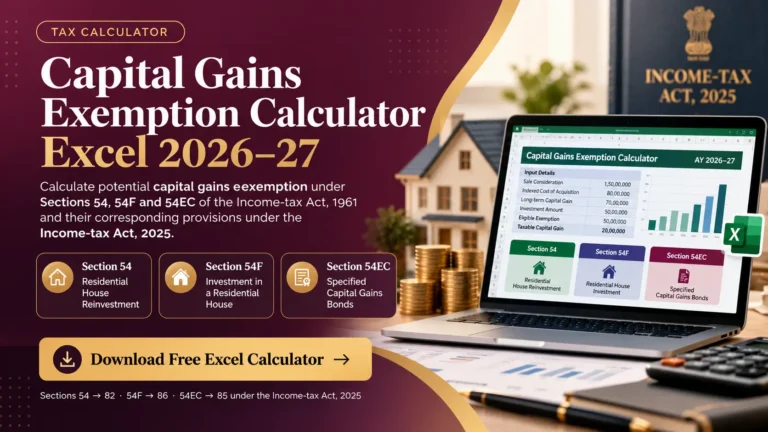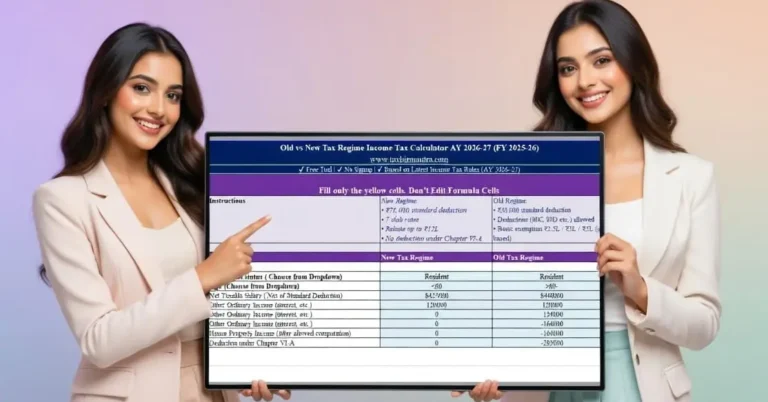

Calculate and compare estimated salary TDS under the New and Old Tax Regimes for Tax Year 2026-27 with a ready-to-use Excel template.
Salary TDS can become difficult to follow when salary income, exemptions, gratuity, leave encashment, rebate, surcharge and different tax regimes all come into the calculation. This Excel template brings those calculations into one structured workbook so that employees and finance teams can estimate annual tax and salary TDS in a transparent way.
Skip ahead and download the template
What Is a Salary TDS Calculator?
A salary TDS calculator is a tool used to estimate the income tax that an employer may deduct from an employee’s salary during the tax year. Instead of looking only at monthly salary, the calculation considers estimated annual salary income and the tax provisions applicable to that income.
For Tax Year 2026-27, salary TDS calculations need to be considered under the framework of the Income-tax Act, 2025. The employer generally estimates the employee’s taxable salary income and applies the applicable average rate to determine tax deduction during the year.

Salary TDS Calculation for Tax Year 2026-27
Salary TDS is not simply a fixed percentage of monthly gross salary. The annual estimate can take account of salary income, eligible exemptions, standard deduction, declared other income, eligible deductions, rebate, surcharge and health and education cess.
The monthly TDS figure generated by this template is an estimate. Actual payroll withholding may vary because of salary changes, previous TDS already deducted, declarations made during the year, payroll adjustments and employer-specific rounding or withholding practices.
What This Salary TDS Excel Template Calculates
Salary Income
Estimate annual salary income and taxable salary-head income.
Other Income
Include other income declared to the employer where applicable.
Gratuity Exemption
Calculate the applicable gratuity exemption using the entered salary and service information.
Leave Encashment
Estimate eligible leave-encashment exemption subject to the applicable conditions and limits.
Tax Deductions
Apply the deductions supported by the template under the selected regime.
Tax Relief
Calculate rebate, marginal relief, surcharge and health and education cess where applicable.
See it in action — download the template
New Tax Regime vs Old Tax Regime
The workbook provides a side-by-side calculation under the New and Old Tax Regimes so that users can compare the estimated annual tax outcome before deciding which calculation is more beneficial for their circumstances.
| Feature | New Tax Regime | Old Tax Regime |
|---|---|---|
| Standard deduction | ₹75,000 | ₹50,000 |
| 87A rebate | Up to ₹60,000 subject to conditions | Up to ₹12,500 subject to conditions |
| Deduction availability | More restricted | Generally broader |
| Tax comparison | Calculated separately | Calculated separately |
Compare both regimes yourself — download the template

Salary Income, Gratuity and Leave Encashment
Salary-related exemptions can materially affect taxable income. The template therefore provides separate inputs for gratuity and leave encashment so that eligible exempt portions can be considered before arriving at taxable salary income.
Gratuity
The applicable exemption depends on factors such as employee category, actual gratuity received, salary and qualifying service. The statutory conditions and monetary limits should be checked before relying on the calculated exemption.
Leave Encashment
Leave encashment exemption also depends on employee category, amount received, leave entitlement and the applicable statutory limits. The workbook provides an estimate based on the information entered.
If gratuity or leave encashment has already been included in the salary figure entered into the workbook, ensure that the same amount is not inadvertently treated again as a separate taxable or exempt component.
Tax Deductions and Exemptions
The calculator includes supported deductions and exemptions so that the estimated taxable income can be calculated after considering applicable reliefs.
Under the Income-tax Act, 2025, deductions are organised under Chapter VIII. The availability of a particular deduction depends on the selected tax regime and the taxpayer’s circumstances.
The template is designed as a planning and estimation tool. It should not be treated as an exhaustive determination of every deduction, exemption or payroll compliance requirement.
Ready to enter your own numbers? Download the template
Section 87A Rebate and Marginal Relief
The workbook separately considers the applicable rebate and marginal relief provisions. These calculations can materially change the final tax liability around the relevant income thresholds.
The rebate is subject to the applicable taxable-income conditions. Marginal relief may also apply where the additional tax caused by crossing a threshold would otherwise exceed the additional income above that threshold.
Surcharge, Marginal Relief and Health & Education Cess
Higher-income taxpayers may be subject to surcharge in addition to basic income tax. The workbook calculates surcharge and applicable marginal relief before adding health and education cess.
Health and education cess is applied at the applicable rate to the tax and surcharge amount after the relevant relief calculations.

How to Use the Salary TDS Calculator Excel Template
Enter salary information
Enter estimated annual salary and relevant salary components.
Enter exemptions and other income
Provide eligible gratuity, leave encashment and other income information where applicable.
Enter deductions
Add applicable deductions supported by the selected regime.
Compare tax regimes
Review the estimated tax under the New and Old Tax Regimes.
Review estimated TDS
Use the calculated annual tax and months remaining to estimate monthly salary TDS.
Salary TDS Calculation Example
Suppose an employee enters estimated annual salary, eligible exemptions, other declared income and applicable deductions into the workbook. The calculator first determines salary-head income, adds relevant other income and arrives at taxable income after supported deductions.
The workbook then calculates slab tax, applicable rebate or marginal relief, surcharge where applicable, and health and education cess. The resulting annual tax can then be used to estimate remaining salary TDS.
The actual payroll TDS can differ from a simple annual-tax-divided- by-months calculation where previous deductions, revised salary, declarations or employer adjustments are involved.
Try it with your own numbers — download the template
Who Can Use This Salary TDS Excel Template?
This template can be useful for salaried employees, finance teams, payroll professionals, HR teams and tax-planning purposes where an estimated salary TDS calculation is required.
It is particularly useful when comparing the New and Old Tax Regimes or when reviewing the effect of salary exemptions, deductions, rebate, surcharge and cess on estimated annual tax.

Download Salary TDS Calculator Excel Template
Download the Salary TDS Calculator Excel Template for Tax Year 2026-27 and estimate salary tax and TDS under the New and Old Tax Regimes.
- Salary income and other declared income
- Gratuity and leave encashment calculations
- New and Old Tax Regime comparison
- Rebate, marginal relief and surcharge
- Health and education cess
- Estimated annual and monthly TDS
Frequently Asked Questions About Salary TDS
What is a salary TDS calculator?
Can I compare the New and Old Tax Regimes?
Does the template calculate gratuity exemption?
Does it calculate leave encashment exemption?
Does the calculator include Section 87A rebate?
Does the template calculate surcharge and marginal relief?
Is the monthly TDS amount always the same?
Can I use this template for payroll compliance?
Sources & References
- Income Tax Department, Government of India — Official tax rules, slabs, rebates, surcharge and TDS guidance.
- Income Tax India — Official income-tax legislation, notifications and tax resources.
- India Code — Official repository of Central Acts, including the Income-tax Act, 2025.